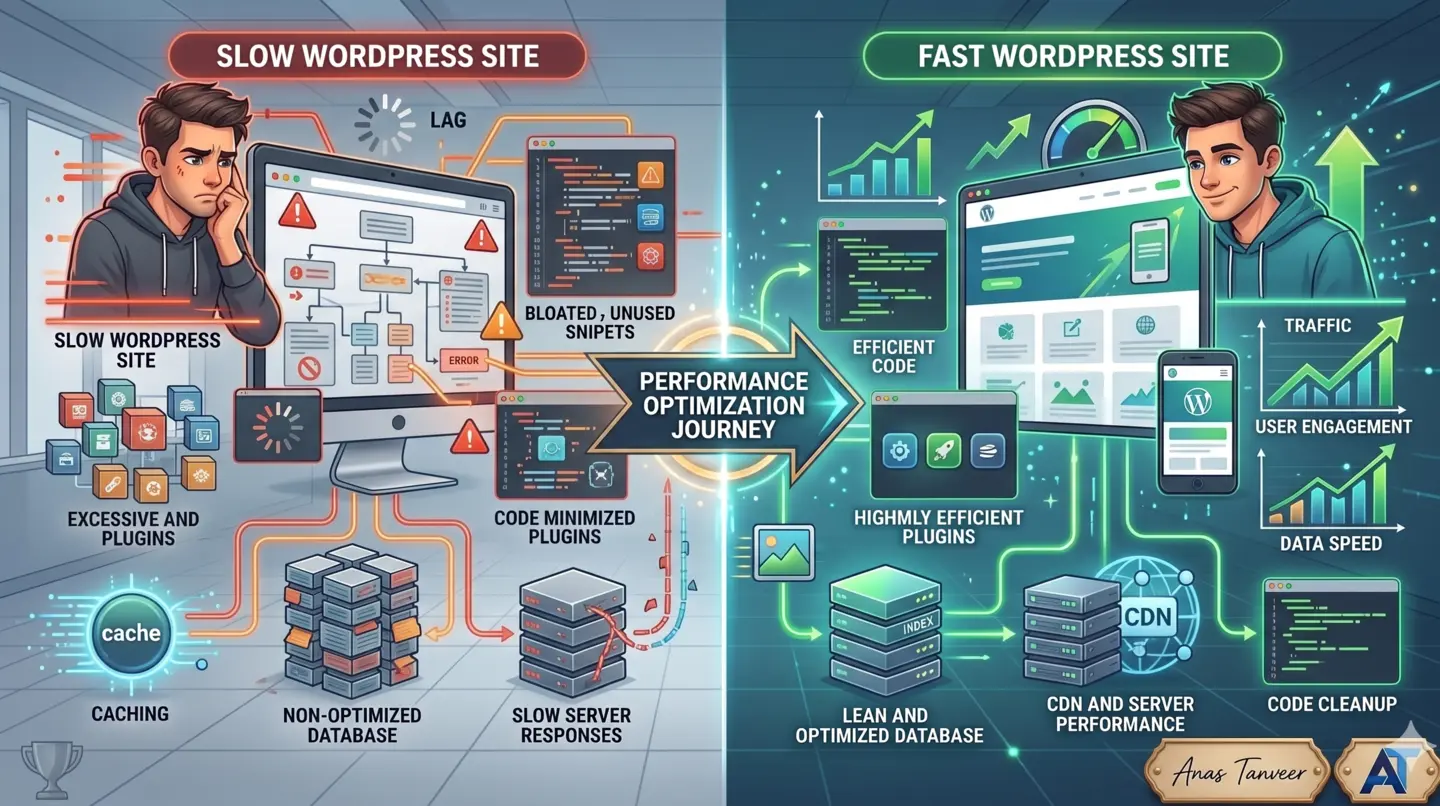

Practical overview
An AI-assisted website audit can help identify patterns faster, but the value comes from connecting findings to real business problems. A slow hero image, unclear headline or broken mobile layout matters because it can reduce trust and leads.
The best audit does not produce a long report that nobody uses. It creates a clear priority list of fixes that improve speed, SEO, user experience and conversion.
An audit should connect technical issues to business loss
A slow page, unclear headline, missing contact path or weak service structure is not just a design issue. It can cost leads, trust and ad budget.
AI can help organize findings, compare page sections, identify missing questions and summarize patterns, but a developer still needs to verify the technical cause.
What a useful audit should cover
Check loading speed, image weight, Core Web Vitals, heading structure, metadata, schema, mobile layout, contact forms, service clarity, product page friction and analytics signals.
The best audit does not produce a long report only. It creates a priority list of fixes that can actually improve user experience.
How I use AI-assisted audits
I use AI thinking to speed up content and UX diagnosis, then verify the technical side manually: assets, scripts, layout, database, hosting, forms and SEO implementation.
That combination helps businesses find the real blockers faster and avoid redesigning pages that only needed focused fixes.
A useful audit starts with the visitor journey
Before checking tools, look at what the visitor sees first. Is the offer clear? Is the page fast? Is the CTA obvious? Does the mobile layout feel easy? Can the user contact the business without confusion?
AI can help summarize content gaps and repeated issues, but the developer still needs to inspect code, assets, scripts, forms and layout behavior.
The strongest audits combine automated signals with practical human review.
Speed, SEO and conversion should not be reviewed separately
A website may have good content but slow loading. It may load fast but have weak headings. It may rank but fail to convert because the offer is unclear.
That is why an audit should check technical SEO, Core Web Vitals, visual hierarchy, mobile UI, contact path, image optimization, metadata and schema together.
The business needs a complete view of what is stopping users from trusting and taking action.
AI can support content gap analysis
AI tools are useful for comparing page content against user questions, identifying missing FAQs, checking whether service pages explain the problem clearly and finding weak sections.
However, AI should not be trusted blindly for technical conclusions. It can suggest where to look, but real fixes require checking the website implementation.
This is where a developer with SEO and business understanding can turn audit notes into practical improvements.
The output should be a prioritized action plan
A good audit should separate urgent fixes, quick wins and strategic improvements. Urgent fixes may include broken forms, huge images or mobile overflow. Quick wins may include metadata, headings and CTA improvements.
Strategic improvements may include rewriting service pages, restructuring blog content, improving internal links or rebuilding slow sections.
This makes the audit useful for business owners, agencies and recruiters who need clear direction.

Practical checklist
Check first-screen clarity, speed and CTA visibility.
Review images, scripts, fonts, layout shift and mobile behavior.
Audit headings, metadata, canonical URLs, schema and internal links.
Compare page content against real buyer questions.
Turn findings into a priority list, not just a report.
How to turn this into a real project decision
Start by writing the business problem in one line. For example: the website is slow, the Shopify product page is confusing, the WordPress site does not generate quality leads, or the Laravel dashboard cannot support the workflow anymore. A clear problem statement makes the technical decision easier.
Next, separate the requirement into user experience, backend logic, SEO, speed, integrations and content. This prevents the common mistake of redesigning a page when the real issue is data structure, plugin conflict, weak copy, poor mobile UX or missing automation.
For Dubai, UAE and international clients, the strongest web solution is usually the one that improves trust, reduces manual work, loads fast on mobile and gives visitors a clear reason to contact the business. That is the standard I use when planning Laravel, WordPress, Shopify, ecommerce, dashboard and SEO-focused work.
FAQs
What is an AI website audit?
It is an audit that uses AI to help identify content, UX and SEO patterns, combined with developer review for speed, code, layout, schema, forms and technical issues.
Can AI find website speed problems?
AI can help organize findings, but speed problems should be verified with tools and code review because images, scripts, hosting and layout behavior need technical checking.
What should a website audit include?
It should include speed, Core Web Vitals, mobile UX, headings, metadata, schema, content clarity, internal links, contact flow and conversion blockers.
Ready to discuss this?
Send your website URL, platform, issue and goal — I'll reply with a practical direction within 4 hours. Free 20-min discovery call available.
Message on WhatsApp — Free 20-min callRelated service
Looking for hands-on help with this?
Speed & SEO AuditRelated services
Need help applying this to your project?

Anas Tanveer
Full-Stack Developer in Dubai with 7+ years in Laravel, WordPress, Shopify, business dashboards, APIs, and SEO-ready web systems.
View profile